
Spaceman brings short multiplier rounds to members who prefer direct controls and visible timing on one clear screen. At JL3, players can follow each launch, place a PHP or USD stake, and choose when to collect before the round ends. This guide is written for new and returning members, helping them understand rules, steps, room details, and decision points before joining real-money rounds.
Introducing Spaceman at JL3 for Philippine players
The game centers on a character rising through space while an on-screen multiplier increases from its starting value during launch. A round may finish at any moment, so every entry depends on whether the cash-out command is completed before the flight stops. Spaceman keeps the display simple by showing the current multiplier, stake field, collection button, and recent results within one organized view.
Members can usually choose PHP amounts such as PHP 20, PHP 50, or PHP 100, while some account settings may also show USD values. The final return equals the accepted stake multiplied by the value recorded when the collection request succeeds with visible confirmation. In Spaceman, the result comes from round timing rather than symbol combinations, paylines, cards, or dealer actions.

How multiplier rounds and payout-out rules work
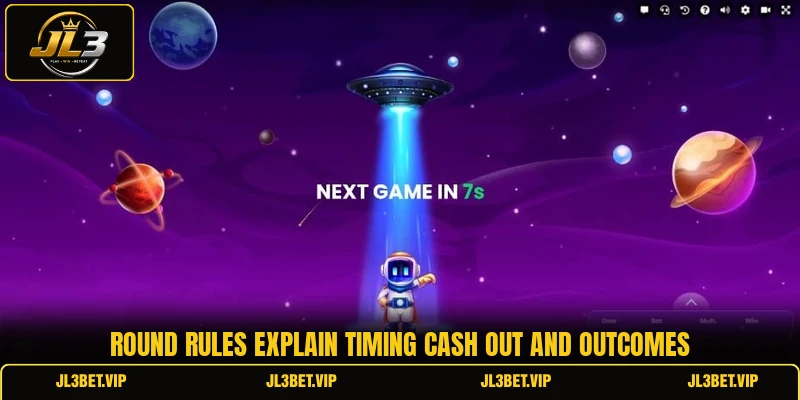
Each session follows a repeating cycle that includes stake entry, countdown, multiplier growth, and round closure. Spaceman requires players to complete every action within the available control window because late commands may not be accepted.
Starting a round correctly
Before the countdown reaches zero, members select an amount and confirm the entry through the active betting panel. A valid stake appears on the screen, allowing players to check the figure carefully before the launch begins. When the round starts, new entries normally close until the next countdown becomes available.
PHP and USD figures should be reviewed carefully because an extra zero can change the intended entry size. The balance display updates after confirmation, while any completed return is added after a successful collection is processed. Players should also confirm that the selected currency matches the account wallet before pressing the main control.
Reading Spaceman round signals
The rising multiplier shows the possible return value at that exact moment, but it does not promise continued growth. Recent results may appear beside the main screen, giving members a record of earlier endings without predicting the next outcome accurately. Every new launch remains separate, so a previous high or low figure does not set the following result.
The visual flight, sound effects, and moving numbers help players follow the current stage without opening another menu or leaving the active screen. A stable connection matters because the collection request must travel from the device to the system before round closure occurs. Members should avoid switching applications during an active round, since delayed screen updates can create confusion about the live multiplier.
Completing the finishing command
The collection button becomes active after launch and records the multiplier available when the request is accepted by the game system. If the round ends first, the stake closes without a return, even when the button was pressed only moments before termination. In Spaceman, success therefore depends on confirmed execution rather than the player merely intending to leave at a certain displayed value.
View more: Crash – Fast Multiplier Rounds And Cash Out Timing
Some interfaces allow an automatic collection value to be entered before the countdown finishes and the next flight begins. For example, a member may set 1.50x, causing the system to request collection when that chosen number is reached. This option does not guarantee payment because the flight can finish below the selected level before automatic execution becomes possible.
Clear methods for crafting better round decisions
A sound approach begins with reading the controls, testing the interface, and choosing actions before the countdown creates unnecessary pressure. Spaceman becomes easier to follow when members separate interface knowledge from guesses about future multipliers and changing round outcomes.
Use demo rounds first
A demo mode lets players observe the countdown, launch, button response, and result history without using an available cash balance. Members can repeat several rounds to learn where each control sits and how quickly the collection confirmation appears after a command. This preparation reduces avoidable input errors when switching later to PHP or USD entries through a funded account.
Demo results should not be treated as a promise that paid rounds will follow the same pattern or ending values. Their main value is teaching screen behavior, timing, and menu placement under normal connection conditions on the selected device. Players can also test portrait and landscape views to identify which layout keeps important controls visible throughout the entire flight.
Prepare actions before launch
Members should enter the stake and optional automatic value early enough to review both figures before confirming the next entry. Last-second changes raise the chance of selecting an unwanted amount or leaving an old setting active without noticing the error. A simple pre-round check can cover currency, stake, automatic command, connection status, and visible balance before the countdown finishes.
During an active Spaceman flight, players should focus on the chosen action instead of changing plans repeatedly while the multiplier rises. Rapid taps may create uncertainty about whether a command was received, especially on a slow mobile network or busy wireless connection. Waiting for the on-screen confirmation gives clearer information than pressing the same button several times without checking the system response.
Choose a suitable game room
Different rooms may display separate stake limits, interface sizes, or session traffic, depending on the available game setup and current access conditions. Players should read the minimum and maximum entry values before joining, especially when account balances are shown in USD rather than PHP. A room with clear controls and comfortable limits is easier to operate accurately on both desktop and mobile screens.
Mobile members should also check whether navigation buttons cover the multiplier or collection area on smaller screens during an active round. Closing unused browser tabs can reduce device strain and make animations respond more smoothly while important controls remain visible. When Spaceman loads slowly, leaving the round and reconnecting is safer than entering during an unstable or incomplete display.

View more Category: Arcade
Conclusion
Spaceman offers short rounds built around a rising multiplier, a clear collection command, and outcomes that can close without warning. Members at JL3 should learn the screen, verify PHP or USD entries, and confirm every command before relying on the displayed return. Download the app, register an account, review the available room, and good luck with every round.