
Aviator starts with a simple flight screen where the multiplier climbs until the aircraft leaves, while JL3 provides the betting interface for each round. This article is written for members who need clear rules, accurate steps, and focused timing methods before placing PHP or USD stakes.
How Aviator operates at JL3 for Filipino players
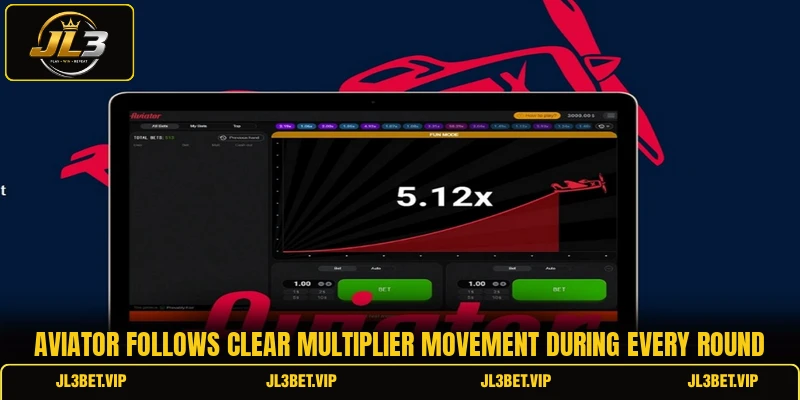
The game centers on an aircraft that rises with a multiplier, while every member decides when to secure the displayed return. A round may end suddenly, so the chosen cash-out point determines whether the stake produces a payout or becomes a losing ticket. Aviator keeps the screen simple by showing the current multiplier, bet fields, recent outcomes, and buttons for manual or automatic settlement.
The platform supports stake entry in accepted account currency, although available minimums and maximums can change through the displayed table limits. Members may prepare one or two bets before takeoff, which allows separate cash-out targets during the same flight. Payout value follows a direct calculation, because the confirmed stake is multiplied by the rate shown when the cash-out request succeeds.
Core rules behind each rising multiplier round
Each flight follows a short sequence involving stake confirmation, takeoff, multiplier growth, and an unpredictable ending point. Members must complete every betting action before the timer closes, because late entries are not accepted after the aircraft starts moving.
Starting an Aviator round
Members first enter a stake in PHP or USD, then press the bet button before the countdown reaches zero. The system confirms the ticket immediately, provided the amount remains within the table limits and the account balance covers the full wager. A second betting panel may also be used, which lets members set another amount without changing the first ticket.
Once the timer ends, the aircraft begins climbing and the displayed rate increases from its opening value. No extra stake can be added during this stage, although an active ticket remains eligible for settlement until the flight stops. Members should check both panels carefully, because each ticket has its own amount, status, and cash-out command.
Reading the coefficient correctly
The multiplier represents the return applied to a confirmed stake when a successful cash-out occurs before the round ends. For example, PHP 200 settled at 1.80x produces PHP 360, while the same ticket at 2.50x returns PHP 500. Aviator displays this figure in real time, so members can follow how quickly the possible payout changes.
A rising value does not guarantee that the aircraft will continue for another second, because every flight has an independent stopping point. Recent results may show low or high outcomes, yet those records do not determine the next rate. Members should treat the history board as reference data rather than a signal that promises a specific result.
Completing a valid cash out
A manual cash-out requires the member to press the active button before the aircraft disappears from the screen. When the request reaches the system in time, the ticket closes at the accepted multiplier and the calculated return enters the account balance. Aviator may reject the action when the round has already ended, even if the button was pressed near the final moment.
View more: JetX – Rules, Rounds, Cashout Timing, And Game Tips
Automatic cash-out works differently because members choose a target rate before takeoff, such as 1.50x or 2.00x. If the aircraft reaches that figure, the ticket settles without another click, which reduces delays caused by reaction time or connection speed. The setting still fails when the flight ends below the selected target, so the original stake receives no return.

Smart timing techniques for stronger round decisions
Good decisions come from reading the active ticket, choosing a clear exit point, and avoiding changes made during sudden multiplier movement. In Aviator, these choices work best when members set a target before takeoff and verify each control before the countdown closes.
Using two separate bet panels
Two panels allow members to place different stake sizes and assign separate settlement points before the same flight begins. One ticket may use PHP 100 with automatic cash-out at 1.40x, while another keeps PHP 50 open for a later manual choice. Aviator therefore gives members more control over timing without requiring both wagers to follow one plan.
The first panel can cover an earlier target, whereas the second can remain active when the multiplier continues upward. This setup does not remove risk, because both tickets lose when the aircraft stops below their selected exit points. Members should confirm each amount carefully, since an accidental duplicate stake can increase total exposure within seconds.
Choosing targets prior to takeoff
A target chosen before the timer closes removes last-second guessing when the multiplier begins moving quickly. Members can compare the intended return with the stake amount, then enter an automatic level that matches the planned ticket value. Aviator becomes easier to follow when the decision is completed before the aircraft starts rather than during rapid screen changes.
For a PHP 300 stake, a 1.60x target returns PHP 480, while a 2.20x target returns PHP 660 when reached. The larger figure offers a higher possible payout, but it also requires the flight to remain active longer. Members should calculate both outcomes first, because a clear number supports faster action than an undefined hope for continued growth.
Checking link and controls
A stable connection matters because manual settlement depends on the command reaching the platform before the round closes. Members should confirm that the bet button changes status, the balance updates correctly, and the cash-out control remains responsive. Aviator rounds move quickly, so delayed input can affect whether a valid request enters the system on time.
Members using mobile devices should close heavy background applications and keep the game screen active throughout the flight. Automatic settlement may offer a cleaner option when network performance changes, although the chosen target must still be reached. A brief test with a smaller PHP or USD amount can also confirm that controls, sound, and display behavior work correctly.

View more Category: Arcade
Conclusion
Aviator combines short rounds, rising multipliers, and timed settlement choices that require members to understand each control before confirming a stake. Members can use JL3 to review table limits, prepare separate tickets, and choose manual or automatic cash-out settings. Register an account, download the app, check every amount carefully, and may each chosen flight bring a favorable result.